
Grouped by room
The client doesn't get one long list. Items are organized logically, room by room. They can see what a living room, a kitchen or a bedroom costs — which makes it easier to set priorities.
From sign-up to the first signed quote — two flows, one system. First, what you set up. Then, what your clients actually see.
From sign-up to your first live quote. About 10 minutes.
You enter the basics on the sign-up page. One minute.
You give us your business website address. EstiWise processes the site — extracting your services, prices and brand elements. If you don't have a good website, you can provide a written description instead.
EstiWise turns the data into a proposal: service catalog, pricing logic, brand elements. This is where you review and fine-tune before going live.
The overview — every piece of your business data in one place. From here you start new quotes, track the ones you sent and change your settings.
You get your own embeddable calculator page. Put a link on your website, share it on social, or use it internally — whatever suits you.
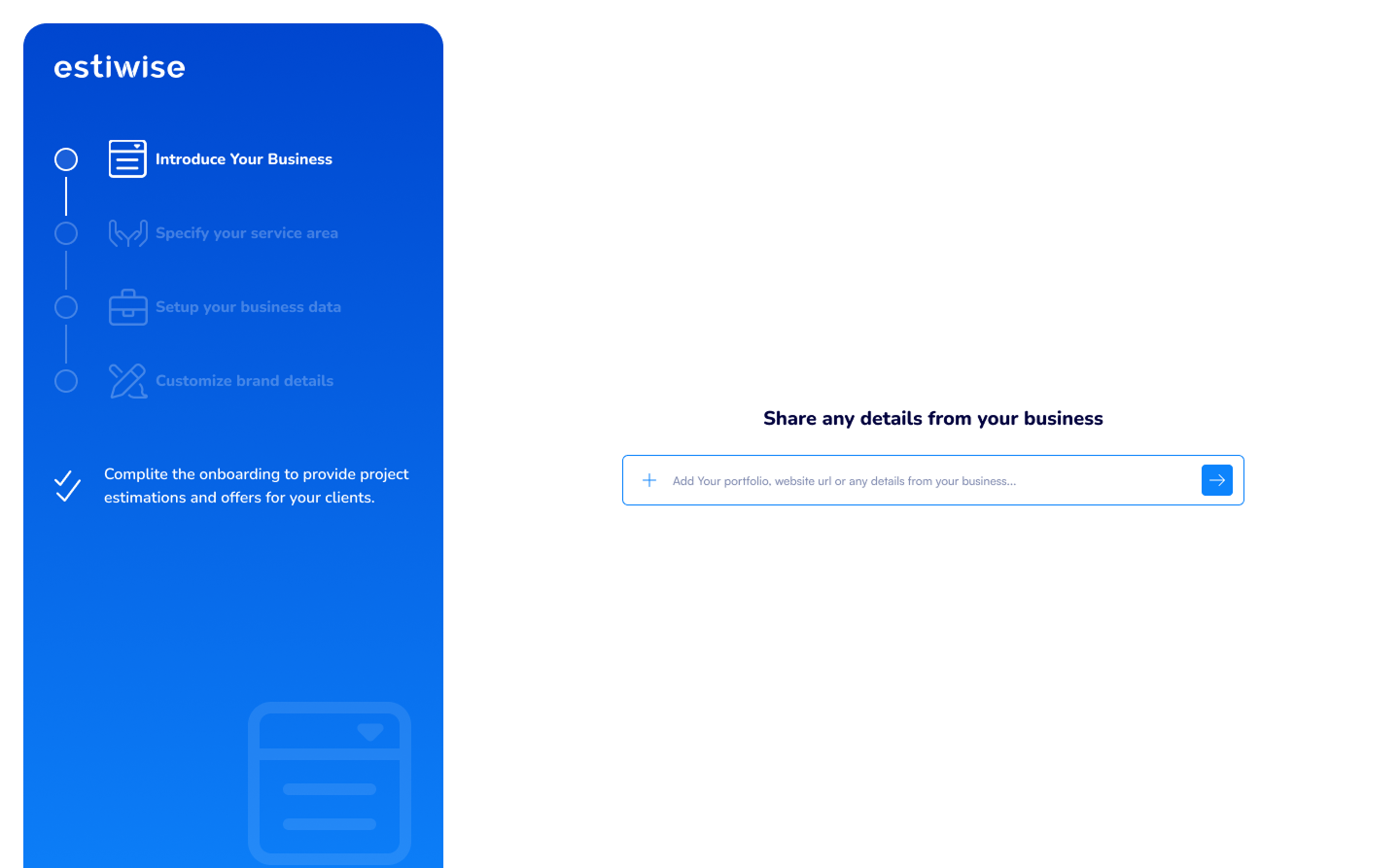
From onboarding to the live calculator — 60 sec.
Your client gets their own link — either through your website or directly by email. From there it's the EstiWise interface, with your brand.
Arriving on the public page, the client picks the category relevant to them. (Window replacement and fitting, front door design, sliding door planner, and so on — based on your services.)
Using a decision tree, EstiWise guides the client through the questions — basics, dimensions, materials, extra options. It asks exactly what the quote needs, nothing more.
Before the client sees the quote, they enter their contact details (name, email, phone). That puts a qualified lead into your system — only the people who genuinely want a quote.
The client receives the interactive, editable quote. From here the result page section takes over (below).
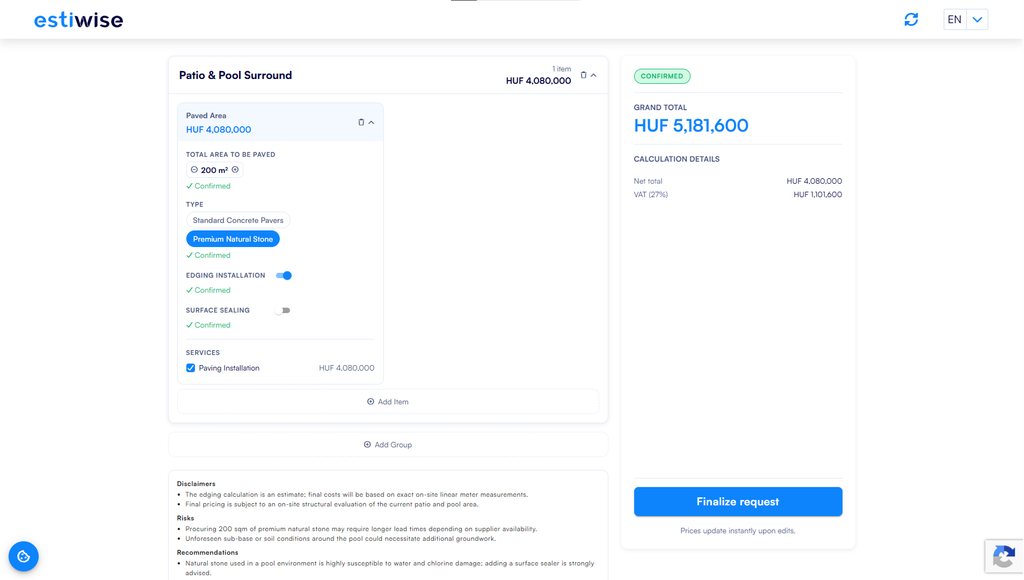
From service selection to the interactive quote — 60 sec.
Five things the EstiWise result page does — together they create a buying experience your competitors can't match.
What your client sees — the interactive quote in action.
The client doesn't get one long list. Items are organized logically, room by room. They can see what a living room, a kitchen or a bedroom costs — which makes it easier to set priorities.
The client adjusts the parameters with sliders (size, quantity, options). Behind the scenes the quote recalculates instantly — no waiting, no phone calls.
Material choice (PVC / wood / aluminum), extra features (triple glazing, color finishes, installation). One toggle and they see the surcharge. Upsells happen naturally.
Net, VAT, gross — every figure, at every moment. The legal disclaimer sits at the bottom of the page (the estimate is indicative, an on-site survey is required) — legal protection for you.
The client can not only change items but also add new ones or remove them. The quote is flexible — it becomes exactly what the client wants to order.
Start your 7-day free trial — no credit card needed — and let us help you through the very first steps in a complimentary consultation.
In a short walkthrough we show you how to get results with EstiWise — built on your own pricing logic.
Choose which types of cookies you consent to storing. You can change your choice at any time with the “Cookie settings” button.
Cookies essential for the site to work (session, security, remembering your cookie choice). These cannot be turned off.
Anonymous statistics about traffic and behavior (for example Google Analytics 4). Helps us improve the site.
Advertising and remarketing cookies (for example Meta Pixel, Google Ads) — for targeted ads and measuring campaign performance.
Cookies that provide a personalized experience (for example language, remembering earlier choices).